
Agent Guides
Short answer: Pick a walkthrough video when buyers need to understand the layout, a modern video when the home needs to look polished room by room, and a cinematic film when the home, the lot or the lifestyle is the selling point. Post an unbranded horizontal version to HAR under Rule 1.25.2, the same clean file to Zillow and YouTube, and a vertical 30 to 60 second cut to Instagram, TikTok and YouTube Shorts.
Most listing videos fail for one of two reasons: the wrong style for the house, or the wrong file in the wrong place. An $800 film with your phone number on it can’t go in HAR, and a horizontal walkthrough cropped into a Reel looks like an accident. Here’s how to choose the type, and what to post where.
Three types of listing video
| Type | What it is | Best for | PRO360 price by home size |
|---|---|---|---|
| Walkthrough | One continuous take through the home, 2 to 5 minutes | Layout and flow, condos, townhomes, out-of-town buyers | $175 to $345 |
| Modern | Dozens of short, slow shots edited room by room, 1.5 to 3 minutes | Updated homes, mid-price listings that need to look finished | $295 to $545 |
| Cinematic | Gimbal movement, controlled light, cinema camera, 2 to 3 minutes | Luxury homes, big lots, views, pools, lifestyle listings | $445 to $845 |
Watch the three styles
Compare one-minute excerpts from PRO360 listing films. Follow the YouTube links for the complete tours. The walkthrough shown is an agent-guided marketing example for YouTube and social; we automatically supply a separate unbranded version without the agent for HAR.
Walkthrough video
Watch the full walkthrough film on YouTube ↗
Modern video
Watch the full modern film on YouTube ↗
Cinematic video
- Walkthrough answers the buyer’s first question: how does this place fit together? Because it’s one take, nothing is hidden between cuts, and buyers trust that. It’s the most useful video for people who can’t visit, such as relocation buyers moving to Houston for work.
- Modern trades the continuous path for slow, carefully framed shots of each room. It shows finishes and light better than a walkthrough and still keeps the room order clear.
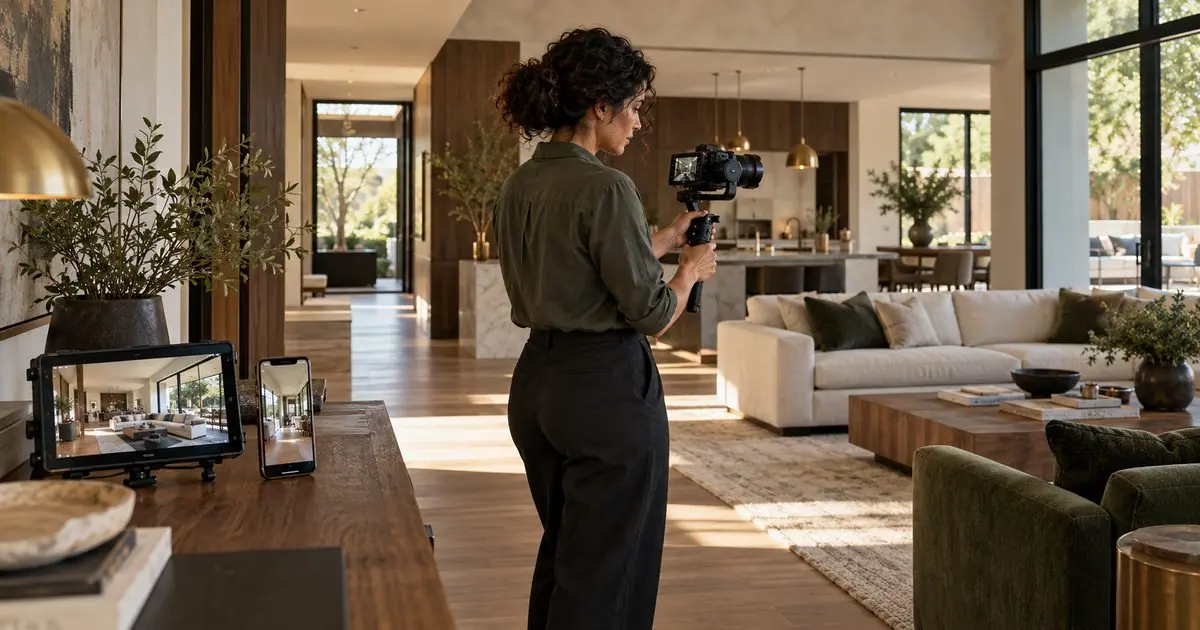
- Cinematic sells a feeling: the morning light over the pool, the drive under the oaks, the view from the primary suite. It’s the right tool when the lifestyle is the product. It isn’t the best tool for explaining a floor plan, so pair it with a 3D tour or floor plan.
How to choose in one minute
- Is the layout the question? Townhomes on three floors, unusual floor plans, condos: choose a walkthrough.
- Is the home updated and the price in the middle of the market? Choose modern.
- Is the selling point the setting, the views or the outdoor space? Choose cinematic, and add drone footage (see flying drones over Houston listings).
- Is the seller also hiring you for your marketing? A cinematic film plus a vertical reel gives you something to show at the next listing appointment.
What HAR allows in a listing video
HAR’s rules treat video like any other listing content. Rules 1.2 and 11 list “audio and video recordings” as listing content, so you need the right to use it, and HAR gets a license to redistribute it. A video goes in as a link in the tour section, and the virtual tour rules apply:
- The property comes first (Rule 1.25.2(a) and 1.25.5). A video that spends a minute on the neighborhood bakery is drifting. Rule 1.25.5 does allow the immediate vicinity, so a short neighborhood shot is fine.
- No contact information (Rule 1.25.2(d)). No names, phone numbers, emails, websites, logos or agent photos, in the picture or the voiceover. The listing firm’s name is the only exception. An agent walking buyers through the home on camera counts as an agent photo.
- Links stay on the property (Rule 1.25.2(b)). An end card that sends viewers to your channel or website breaks the rule.
- It must open for any member (Rule 1.25.2(c)). Private YouTube videos don’t work. Unlisted ones do.
- You must have the rights (Rule 1.25.2(e)), including the music. A video with an unlicensed song isn’t yours to submit.
HAR’s Top MLS Rules sheet lists a $100 fine for contact information in a virtual tour. The fix is simple. PRO360 automatically delivers two versions: branded for YouTube and social media, and unbranded without the agent for HAR. For photo rules and fines, see HAR listing media rules, explained.
Where to post each version
| Platform | Version and format | Watch out for |
|---|---|---|
| HAR (MLS) | Unbranded, horizontal 16:9 | No names, phone numbers, logos, agent photos or agent on camera (Rule 1.25.2(d)) |
| Zillow | Horizontal 16:9 file uploaded to the listing | Use the clean version so it can't be flagged |
| YouTube | Horizontal 16:9; public branded copy plus an unlisted MLS copy | Put the full address and neighborhood in the title |
| Instagram Reels | Vertical 9:16, 30 to 60 seconds | Reels can run longer, but short holds attention |
| TikTok | Vertical 9:16, 30 to 60 seconds | Hook in the first two seconds, captions on |
| YouTube Shorts | Vertical 9:16, up to 3 minutes | Square or vertical only; wider uploads count as regular videos |
- HAR first. Paste the unbranded link in the tour section, then open the public listing on HAR.com and press play. Agents in HAR’s own forum report that a second tour link can take up to 24 hours to show on the public side.
- Zillow separately. Don’t assume a video in HAR will show up on Zillow. Each site decides which MLS fields it displays. Upload the video to the listing in your Zillow agent account and check the live page.
- YouTube for search. YouTube is owned by Google, and a public video titled with the street address, “Houston, TX” and the neighborhood can show up when buyers search that address. Upload a second, unlisted copy without branding for HAR.
- Vertical for social. Reels, TikTok and Shorts are vertical. Cropping a horizontal film to 9:16 throws away most of every shot, so the best reels are filmed vertically at the shoot. Since October 15, 2024, YouTube Shorts can run up to 3 minutes, but a focused 30 to 60 second edit is a practical starting point for listing highlights.
Five mistakes that cost views or fines
- One file for everything. A branded video in HAR earns a fine, and an unbranded one on Instagram wastes your marketing.
- Trending songs. Platforms mute or pull unlicensed music. Use licensed tracks.
- Too long. A seven-minute tour of a 1,800 sq ft home loses people at the second bedroom.
- Faces and house numbers. Keep the seller’s family photos and neighbors out of frame, and avoid identifiable people in drone footage. Texas law limits drone images of people (Gov’t Code Chapter 423).
- No captions. Most social video plays muted at first. Put the price point, bedrooms and neighborhood on screen.
How PRO360 Photos films listing video
- Walkthrough video from $175, with an agent-guided option for $50 more. Use the agent-guided version for social and YouTube, not HAR. An unbranded version without the agent is delivered automatically for HAR/MLS. Every property listing video includes branded and unbranded versions.
- Modern video from $295 and cinematic video from $445, shot on a Sony cinema camera.
- Social reel, 30 seconds and vertical: $125 for a dedicated vertical reel, or $75 as a listing-video add-on using vertical clips captured during your shoot. We film vertical clips during every listing video shoot; the reel is not a crop of your horizontal film.
- Drone video from $125 for 30 seconds, flown by FAA Part 107 certified pilots.
- Packages: Listing Pro includes a walkthrough video or a Zillow 3D tour with an interactive floor plan. Signature Premium includes a walkthrough, a cinematic film, a social reel and a Zillow 3D tour with an interactive floor plan. Every listing package includes 35 listing photos for 0–1,500 sq ft, 50 for 1,501–2,500 sq ft, 60 for 2,501–3,500 sq ft, 65 for 3,501–4,500 sq ft, and 70 for 4,501–6,000 sq ft. Listing Plus adds 5 aerial photos and 2 virtual twilight photos; Listing Pro adds 10 aerial photos and 2 virtual twilight photos; Signature Premium adds 15 aerial photos and 4 virtual twilight photos. These aerial and virtual twilight images are additional to the listing photo count.
- Delivered in 2 to 5 days, with a written license to market the property on the MLS, listing sites, your website, social media and print (see who owns your listing photos in Texas).
Not sure whether a tour or a video fits better? Read Matterport vs Zillow 3D tours, explore listing video and reel services, compare packages, or book a shoot.
Frequently asked questions
Can I put a branded listing video on HAR?
No. HAR Rule 1.25.2(d) bars names, phone numbers, emails, website addresses, agent photos and logos in a tour or its audio, except the listing firm's name. HAR lists a $100 fine for contact information in a virtual tour.
Can I appear on camera in my listing video on HAR?
Not in the MLS version. An agent on camera counts as an agent photo under Rule 1.25.2(d). Keep the agent-guided version for YouTube and social. PRO360 automatically delivers a separate unbranded version without the agent for HAR/MLS.
What is the difference between a walkthrough and a cinematic listing video?
A walkthrough is one continuous take that shows how the rooms connect. A cinematic film is built from many controlled shots, with smooth movement and color work, and sells the feel of the home rather than the floor plan.
How long should a listing video be?
Modern listing videos run 1.5 to 3 minutes, cinematic films run 2 to 3 minutes, walkthroughs can run up to five minutes, and vertical social clips run 30 to 60 seconds.
Should listing videos be horizontal or vertical?
Both. HAR, Zillow and YouTube use horizontal 16:9 video. Instagram Reels, TikTok and YouTube Shorts use vertical 9:16. A vertical clip cut from horizontal footage loses most of the frame, so PRO360 captures vertical clips during every listing video shoot. A 30-second reel from those clips is a $75 listing-video add-on; a dedicated vertical reel is $125.
Can I use popular music in my listing video?
Only with a license that covers how you post it. Use licensed or royalty-free tracks, because under HAR Rule 1.25.2(e) you confirm you have the legal right to everything in the tour, and social platforms can mute or remove unlicensed audio.
Sources
- HAR MLS Rules and Regulations, dated June 8, 2026 (Rules 1.2, 1.25, 1.25.2, 1.25.5, 11)
- HAR: Top MLS Rules to Remember (virtual tour contact information fine)
- HAR.com: How to add both a virtual tour and a video tour to a listing
- YouTube Help: Understand three-minute YouTube Shorts